ComparEdge
Verified pricing, alternatives, and comparisons for 495+ SaaS and AI tools.
ComparEdge MCP Server
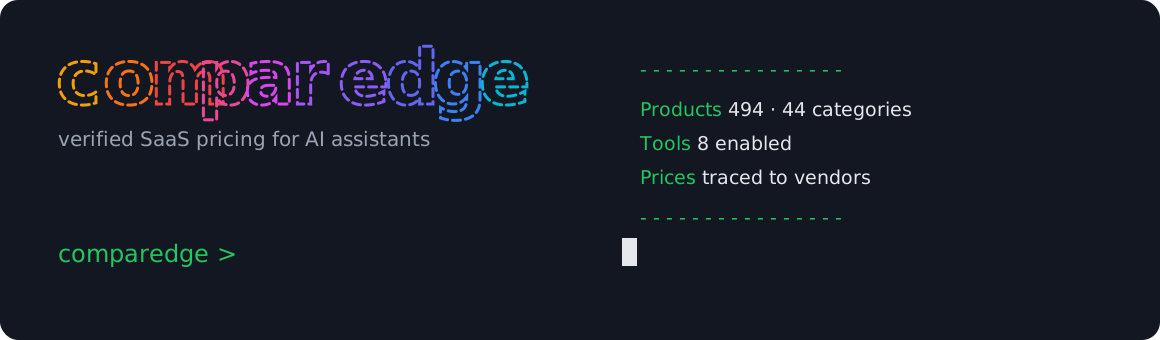



Your assistant already knows what Notion is. It does not know that Notion Plus costs $12 a seat this month, or that the tool you are evaluating quietly dropped its free plan in spring. Training data ages; prices move. This server closes that gap with verified pricing, plans, ratings and alternatives for 494 SaaS and AI tools, checked against vendor pages before they ship. Live docs and examples: comparedge.com/mcp.
Zero dependencies, no API key, no account. Works in Claude Desktop, Cursor, VS Code and any other MCP client.
Install
Add one block to your client config:
{
  "mcpServers": {
    "comparedge": {
      "command": "npx",
      "args": ["-y", "@comparedge/mcp-server@latest"]
    }
  }
}
Claude Desktop keeps this file at ~/Library/Application Support/Claude/claude_desktop_config.json. Cursor: Settings, then MCP, then Add Server. VS Code with Copilot reads .vscode/mcp.json. Per-client walkthroughs live in the setup guide.
What you can ask
Once connected, questions like these stop producing guesses and start producing verified numbers:
- How much does Slack cost for a team of 40 on annual billing?
- Find me a CRM under $20 per user that still has a real free plan.
- I want to leave Salesforce. What do people switch to, and what does the move cost?
- Which AI coding assistants are top rated right now?
- Compare Notion and Coda plan by plan.
Tools
Eight tools, each a read-only lookup against the catalog.
| Tool | Returns | Params |
|---|---|---|
search_tools | products matching a name, keyword or use case | query, limit? |
get_tool | full profile for one product | slug |
get_pricing | every plan with price, period and features, plus trial and free-plan status | slug |
compare_tools | two products side by side: pricing, features, ratings | tool1, tool2 |
get_alternatives | top alternatives in the same category, ranked by rating | slug, limit? |
list_category | all tools in one category with a pricing overview | category, sort_by?, free_only? |
get_leaderboard | top-rated tools, one category or overall | category?, limit? |
list_categories | all 44 category slugs with display names | none |
Products are addressed by slug: notion, github-copilot, screaming-frog. When in doubt, search_tools first. Category slugs double as public pages a human can open, for example the LLM category hub. LLM entries carry per-token API pricing on top of the plan data.
Prompts
Four workflows ship as prompts your client can expose as slash commands:
| Prompt | Args | What it runs |
|---|---|---|
find_best_tool | use_case | searches the catalog, prices the top matches, returns a ranked pick |
compare_pricing | tool_a, tool_b | plan-by-plan price comparison |
evaluate_tool | tool | profile, verified pricing and top alternatives in one pass |
category_overview | category | category leaderboard with pricing for the leaders |
Supported categories
accounting ai-agents ai-assistants ai-coding ai-image ai-meeting ai-productivity ai-security ai-video ai-voice ai-writing analytics cloud-hosting cloud-security compliance crm crypto-analytics crypto-exchanges crypto-portfolio-trackers crypto-tax crypto-telegram-bots crypto-trading-bots crypto-wallets customer-support data-observability databases defi-tools design-tools dex email-marketing endpoint-security erp finops hr-tools iam llm password-managers payments project-management seo-tools vector-databases video-conferencing vpn website-builders
Where the data comes from
The catalog is maintained by ComparEdge. Every price traces to the vendor's own pricing page, harvested from the live DOM and re-verified on a rolling schedule; each record carries its verification date. The pipeline is documented in the methodology, and the full catalog ships as an open dataset under CC BY 4.0. If a tool is not a fit, the alternatives hub covers switch paths for the whole catalog.
License
MIT. Built on the Model Context Protocol.
Installation
Source-derived launch command. Check the maintainer’s required arguments and credentials before running:
npx -y @comparedge/mcp-serverSet up in your AI client
Merge this template into ~/Library/Application Support/Claude/claude_desktop_config.json. Keep existing servers. Add any arguments, credentials, and permissions required by the maintainer; this template has not been install-tested.
{
  "mcpServers": {
    "io-github-imkemit-ops-comparedge-mcp": {
      "command": "npx",
      "args": [
        "-y",
        "@comparedge/mcp-server"
      ]
    }
  }
}
Restart Claude Desktop completely for changes to take effect. Confirm the server appears connected in the client’s tool list, then try a read-only example from its documentation.
Claude Desktop setup referencePackage
@comparedge/mcp-servernpmCompatible MCP Clients
ComparEdge works with any MCP-compatible client. Copy the config snippet from the Configuration section above and add it to the file shown for your client, then restart the application.
- Claude Desktop
~/Library/Application Support/Claude/claude_desktop_config.jsonRestart Claude Desktop completely for changes to take effect. - Cursor
~/.cursor/mcp.jsonRestart Cursor for changes to take effect. - VS Code
.vscode/mcp.jsonReload VS Code window for changes to take effect. - Windsurf
~/.codeium/windsurf/mcp_config.jsonRestart Windsurf for changes to take effect. - Claude Code
.mcp.jsonSave at the project root, then start Claude Code in that project and review the MCP server approval prompt. Keep real credentials out of shared files.