Vitex — AI Resume Generator
Generate tailored, ATS-optimized resume PDFs and cover letters from a job description, over MCP.

Vitex
AI-Powered Resume Generation Platform
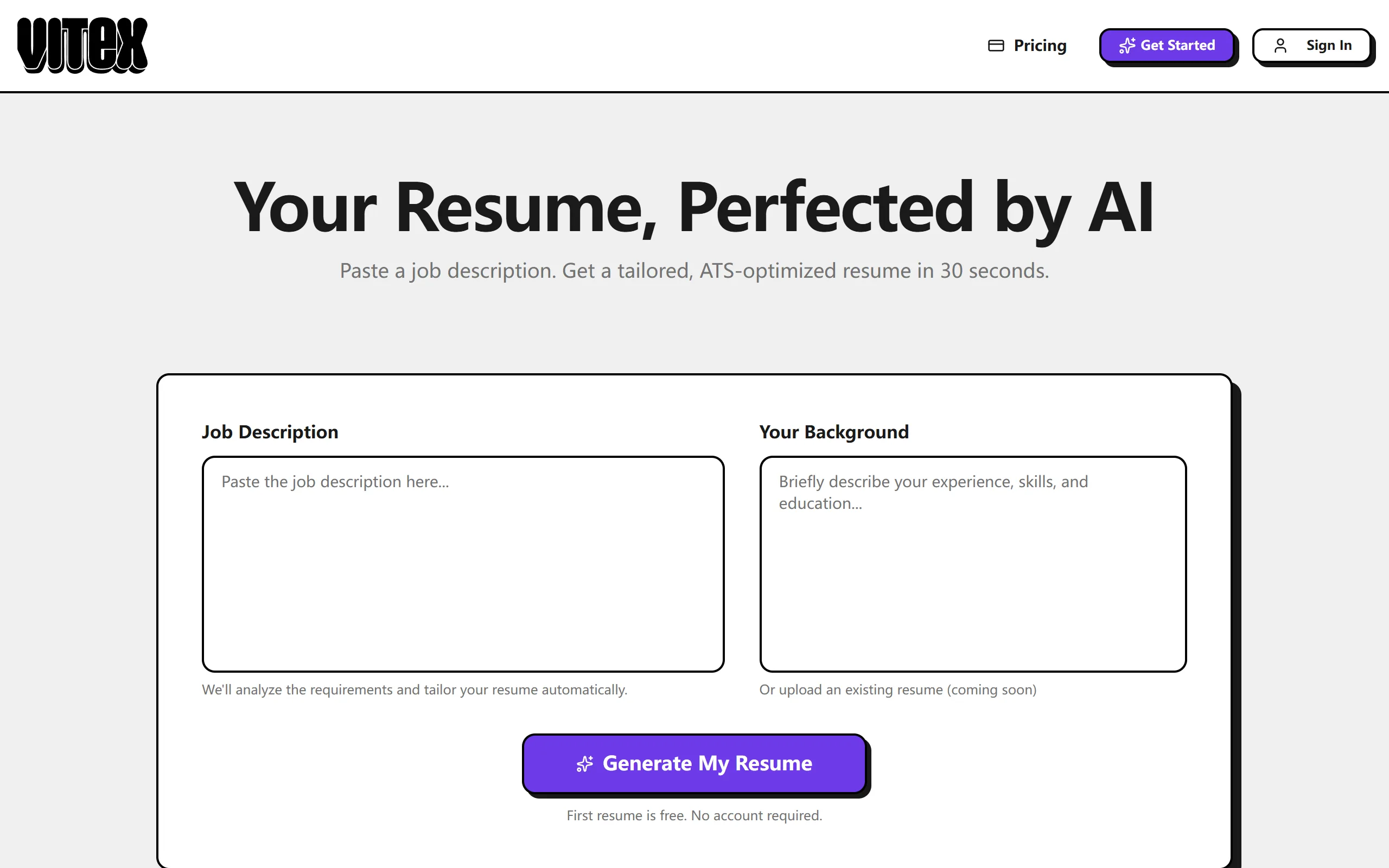
Paste a job description, describe your background, and get a tailored, ATS-optimized resume PDF + cover letter in ~30 seconds.
Built with Next.js 16, React 19, TypeScript 6, and the Vercel AI SDK.
Live Demo · Report Bug · Request Feature




Share Vitex



✨ See it live

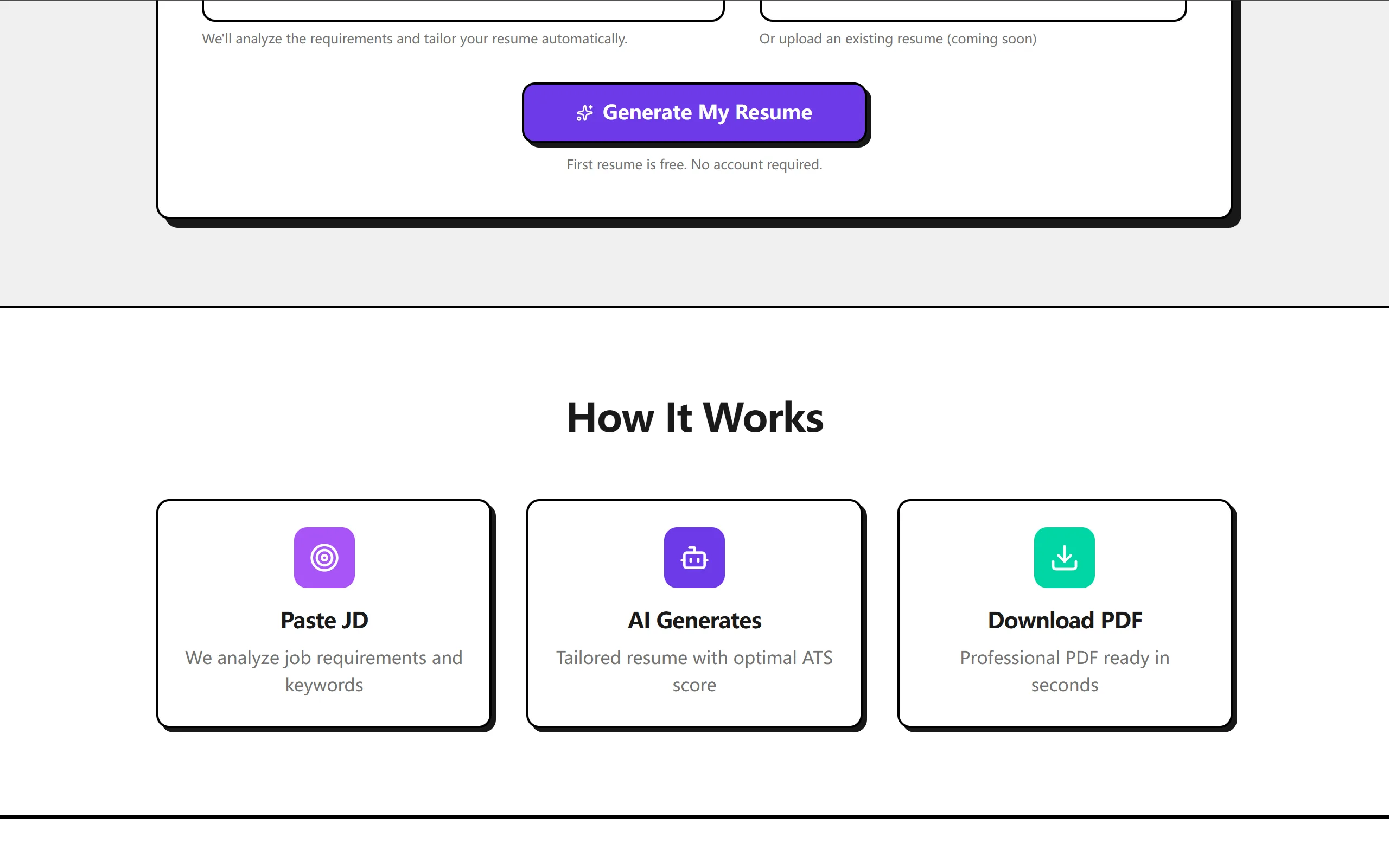
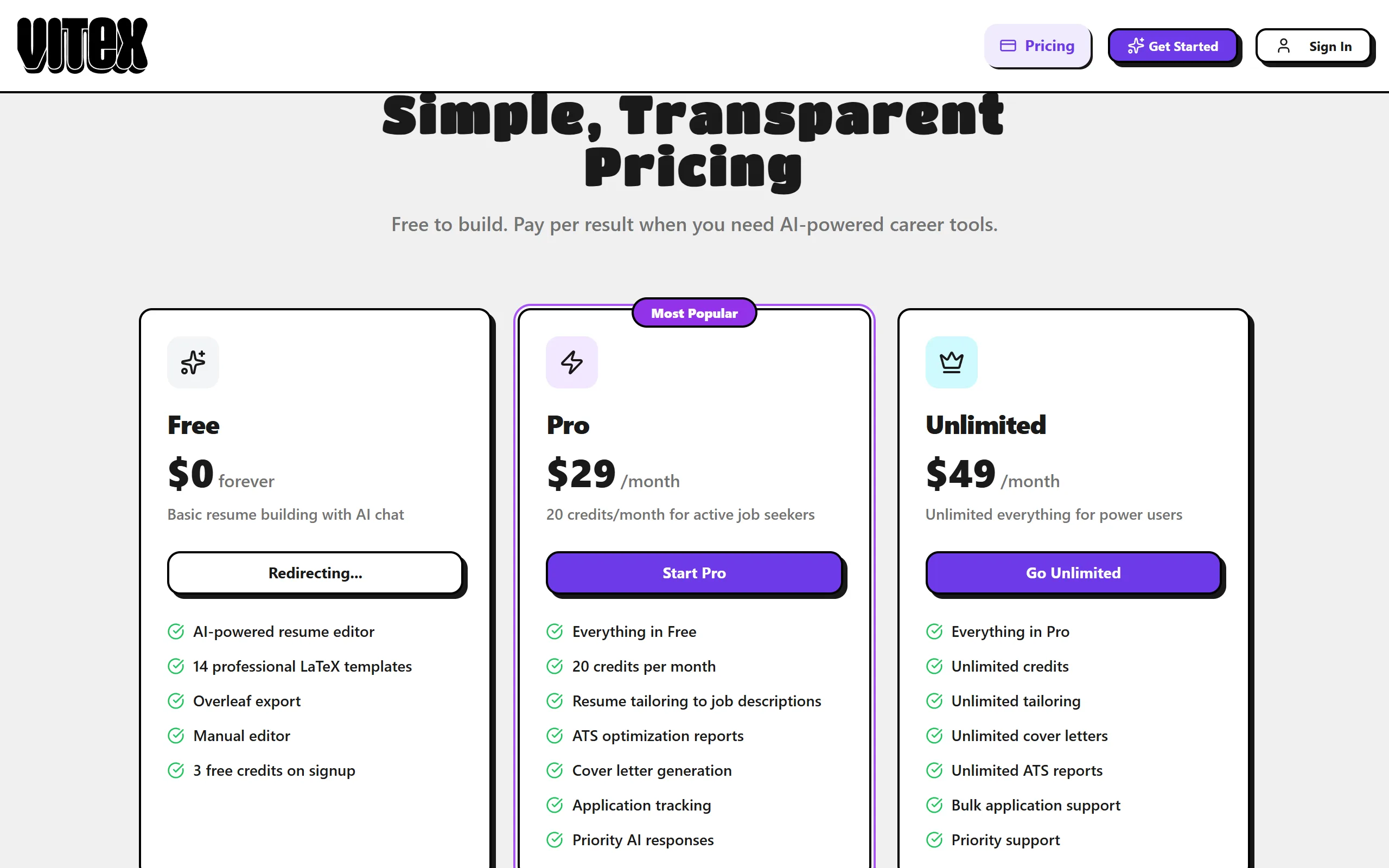
⚙️ How it works + pricing
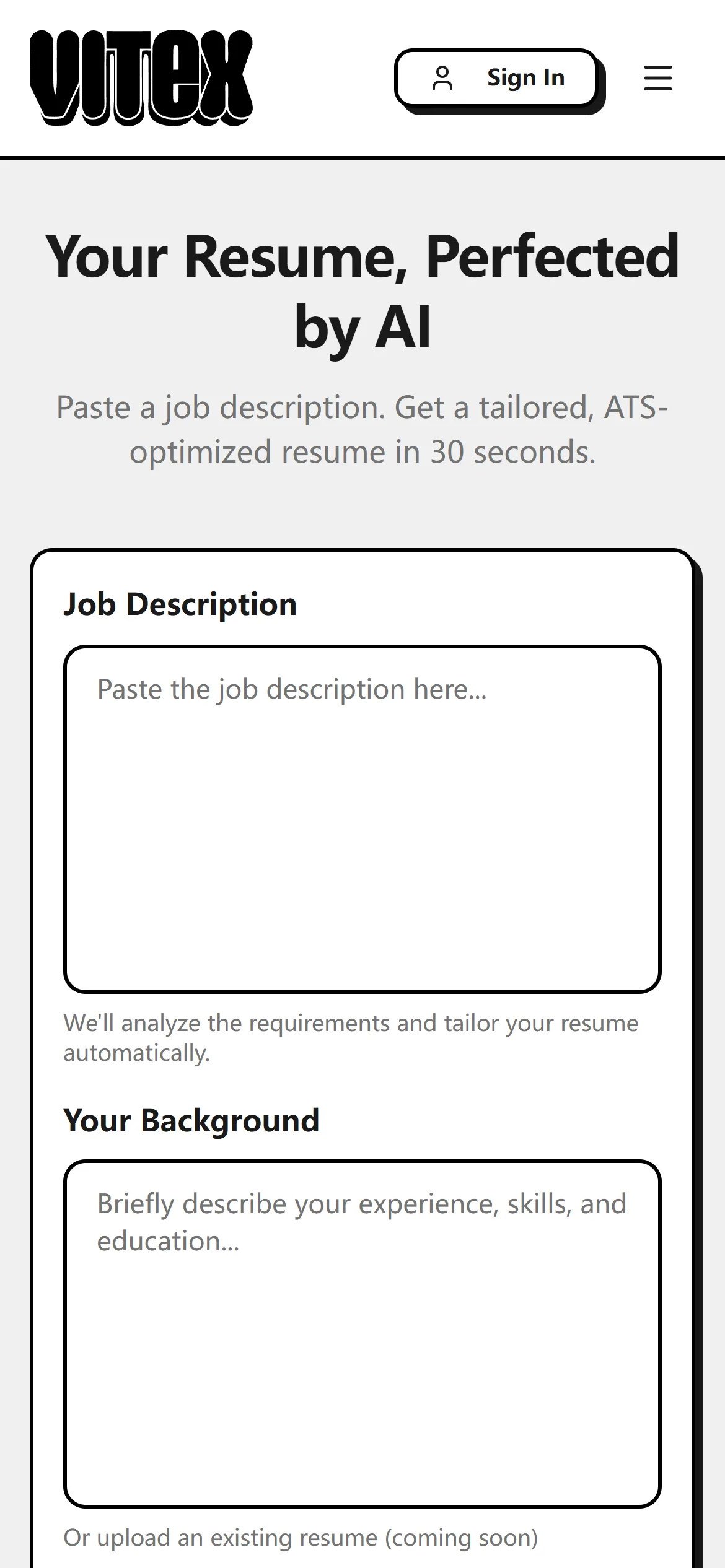
📱 Mobile view
Introduction
Vitex is an AI-powered resume generation platform that transforms a job description and your professional background into a polished, ATS-optimized resume PDF and cover letter. An 8-step AI pipeline handles everything from JD parsing and skill matching to server-side PDF compilation, with Typst compiling PDFs locally in under 100ms. It is agent-ready: every capability is reachable over an authenticated HTTP API (the web UI and the public v1 API share one pipeline core), and billing is outcome-based — you are charged only when a resume is successfully produced. The UI follows the Phantom design system: a soft, flat aubergine-and-lavender aesthetic with pill geometry, whisper-weight typography, and generous whitespace.
Vitex is built for a person plus their AI assistant on a "one core, N thin adapters" design — "The API is the UI". Everything the web app does, an agent can do over the public v1 HTTP API, the published vitex-cli, or the hosted MCP connector. The guiding framing is Career as Code: your career facts are the source, each tailored PDF is a reproducible build artifact, the refinement chain is a series of commits, outcome billing means you pay per successful build, and the exported .typ source means zero lock-in. See ADR 0003.
Key Features
- AI Resume Generation -- Paste a job description + describe your background, get a tailored resume PDF
- 8-Step AI Pipeline -- JD parsing, background parsing, match analysis, tailoring, ATS scoring, cover letter, document generation, server-side PDF compilation
- Agent-Ready API -- Operate the whole product over HTTP with an API key; no browser, 2FA, or CAPTCHA (see
docs/api/v1.md, the OpenAPI spec atpublic/openapi.yaml, and the runnable curl playbook atpublic/skill.md) - CLI & MCP server --
vitex-cli(binvitex) is a thin client over the hosted API: a token-cheap CLI for terminals and coding agents, plusvitex mcp(a stdio MCP server vianpx -y vitex-cli mcp) for Claude Desktop, Claude Code, and Cursor - Hosted MCP connector -- a browser-OAuth remote MCP server at
https://www.vitex.org.nz/api/mcplets non-technical users connect Vitex inside ChatGPT or Claude with a sign-in (no API key to paste): ChatGPT guide, Claude guide. For agent-driven setup from docs alone, seellms-install.md - Outcome-Based Billing -- Credits are charged only when a resume is successfully produced (failures are free), idempotently
- 7 Professional Templates -- Auto-selected by AI based on industry and role (two-column, modern-cv, executive, creative, compact, banking, academic)
- ATS Optimization -- Real-time ATS compatibility scoring with actionable feedback
- Cover Letter Generation -- Automatically generated alongside the resume
- Typst-Powered PDF -- Local compilation in <100ms, no external APIs required
- Natural Language Refinement -- Describe changes in plain English; AI applies a targeted, free refinement (resume and/or cover letter) — not a full regeneration
- Voice Profile -- Save a writing sample on a candidate profile so generated cover letters match your voice
- Public Career Endpoint -- Publish a profile to a stable, agent-readable page at
/p/<slug>(HTML,/json, and/md); contact PII and raw text are never exposed - Credit System -- Stripe-powered subscription plans for usage management
- Cloud Storage -- Persistent resume management with user accounts (My Resumes history, search, and re-open)
How It Works
- Input -- Paste a job description and describe your professional background on the homepage
- Generate -- AI analyzes, matches, tailors, and compiles your resume through an 8-step pipeline streamed via SSE
- Refine & Export -- Review the PDF preview, ATS score, and cover letter; refine with natural language; download or share
Tech Stack
| Layer | Technology |
|---|---|
| Framework | Next.js 16, React 19, TypeScript 6 |
| AI | Vercel AI SDK v7 + OpenAI (tiered GPT-5 models) |
| Resume Rendering | Typst (local binary, <100ms compilation) |
| Design System | Phantom — soft, flat aubergine/lavender (Tailwind CSS + shadcn/ui) |
| Database | Neon PostgreSQL + Drizzle ORM |
| Auth | Neon Auth (Stack Auth) + API keys for agents |
| Payments | Stripe (outcome-based credits) |
| Rate limiting | Neon Postgres (fixed-window) |
| Observability | OpenTelemetry / Langfuse (optional) |
| Deployment | DigitalOcean VPS, Docker, Traefik, GitHub Actions CI/CD |
Getting Started
Prerequisites
- Node.js 18+
- Docker (for production deployment)
- Typst binary (for local PDF compilation)
Installation
git clone https://github.com/ChanMeng666/easy-resume.git
cd easy-resume
npm install
Environment Variables
Create a .env.local file:
# AI
OPENAI_API_KEY=sk-...

# Database
DATABASE_URL=postgresql://user:password@host:5432/dbname

# Neon Auth (Stack Auth)
NEXT_PUBLIC_STACK_PROJECT_ID=...
NEXT_PUBLIC_STACK_PUBLISHABLE_CLIENT_KEY=...
STACK_SECRET_SERVER_KEY=...

# Payments (Stripe)
STRIPE_SECRET_KEY=...
STRIPE_WEBHOOK_SECRET=...
STRIPE_PRICE_CREDITS_5=...
STRIPE_PRICE_PRO_MONTHLY=...
STRIPE_PRICE_UNLIMITED_MONTHLY=...

# Canonical app origin (drives the OAuth issuer + advertised OAuth/MCP/public URLs)
NEXT_PUBLIC_APP_URL=http://localhost:3000   # prod: https://www.vitex.org.nz

# Optional: model tiering + observability
AI_MODEL_EXTRACT=gpt-5.4-mini-2026-03-17   # JD parse
AI_MODEL_REASON=gpt-5.5-2026-04-23         # generation / quality-critical steps
AI_MODEL_CHAT=gpt-5.5-2026-04-23           # edit-agent tool loop (same as reason)
AI_TELEMETRY_ENABLED=false
See
.env.examplefor the full annotated list. Rate limiting and webhook idempotency use the existing Neon Postgres — no Redis required.
Development
npm run dev          # Start dev server on http://localhost:3000
npm run build        # Production build
npm run start        # Start production server
npm run lint         # Run ESLint
Deployment
Vitex runs as a Docker container on a VPS behind Traefik reverse proxy, with GitHub Actions for CI/CD.
# Build Docker image
docker build -t vitex .

# Run container
docker run -p 3000:3000 --env-file .env vitex
The production deployment uses:
- DigitalOcean VPS as the host
- Docker for containerization
- Traefik for reverse proxy and TLS
- GitHub Actions for automated build and deploy on push
Architecture
Monolith Next.js App (Docker Container on VPS)
|
|-- Pages
|   |-- /                    Landing page: JD + background input
|   |-- /editor              Result review: PDF preview, ATS score, cover letter, refinement
|   |-- /resumes             My Resumes history (search, open, download, delete)
|   |-- /profiles            Candidate profiles (background + voice sample) + publish
|   |-- /applications        Application tracker
|   |-- /dashboard           Credits, billing + Connections & API Keys
|   |-- /pricing             Subscription plans
|   |-- /p/[slug]            Public career endpoint (HTML, +/json, +/md)
|
|-- Transports (thin adapters over one shared core -- "the API is the UI")
|   |-- POST /api/generate     SSE stream for the web UI
|   |-- /api/v1/resumes        Public agent REST API (API key, job-based) + /api/v1/me
|   |-- /api/mcp               Hosted remote MCP (Streamable HTTP, OAuth-protected)
|   |-- /api/oauth/*           OAuth 2.1 Authorization Server (facade minting API keys)
|   |-- vitex-cli              Published npm package: CLI + stdio MCP server
|
|-- Backend Core (src/server/, transport-agnostic)
|   |-- 8-Step Pipeline: JD parse || background parse -> match -> tailor
|   |   -> ATS score || cover letter -> render (Typst) -> compile (PDF)
|   |-- Outcome billing: charge once, only on a compiled PDF, idempotent
|   |-- Auth: getCaller() resolves API key or Neon Auth cookie session
|   |-- Errors: machine-readable envelope; structured JSON logs
|
|-- Services
|   |-- Neon PostgreSQL (Drizzle ORM) -- data, credits, rate limits, job queue
|   |-- Neon Auth / Stack Auth (authentication)
|   |-- Stripe (payments)
|   |-- OpenAI (3 tiers: gpt-5.4-mini extract / gpt-5.5 reason / gpt-5.5 chat)
License
This project is licensed under the MIT License - see the LICENSE file for details.
Contact
Chan Meng
- LinkedIn: chanmeng666
- GitHub: ChanMeng666
- Email: chanmeng.dev@gmail.com
- Website: chanmeng.org
Vitex - AI-Powered Resume Generation Platform
Made with care by Chan Meng

Chan Meng
Need a custom app like this one? I build them — let's talk.
Installation
Source-derived launch command. Check the maintainer’s required arguments and credentials before running:
npx -y vitex-cliSet up in your AI client
Merge this template into ~/Library/Application Support/Claude/claude_desktop_config.json. Keep existing servers. Add any arguments, credentials, and permissions required by the maintainer; this template has not been install-tested.
{
  "mcpServers": {
    "io-github-chanmeng666-vitex": {
      "command": "npx",
      "args": [
        "-y",
        "vitex-cli"
      ]
    }
  }
}
Restart Claude Desktop completely for changes to take effect. Confirm the server appears connected in the client’s tool list, then try a read-only example from its documentation.
Claude Desktop setup referencePackage
Compatible MCP Clients
Vitex — AI Resume Generator works with any MCP-compatible client. Copy the config snippet from the Configuration section above and add it to the file shown for your client, then restart the application.
- Claude Desktop
~/Library/Application Support/Claude/claude_desktop_config.jsonRestart Claude Desktop completely for changes to take effect. - Cursor
~/.cursor/mcp.jsonRestart Cursor for changes to take effect. - VS Code
.vscode/mcp.jsonReload VS Code window for changes to take effect. - Windsurf
~/.codeium/windsurf/mcp_config.jsonRestart Windsurf for changes to take effect. - Claude Code
.mcp.jsonSave at the project root, then start Claude Code in that project and review the MCP server approval prompt. Keep real credentials out of shared files.