Imprint PDF
AI-native print-grade PDF generator. Markdown in, publisher-quality PDF out.
Imprint · 印记
Markdown 进,出版社级 PDF 出,自带 0–100 印刷级质检报告。
English · 简体中文 · ✨ 在线画廊 / Live showcase · ▶ 在线试玩 / Live demo
Imprint 是一个 AI 原生的中文印刷级 PDF 生成器。它把 Markdown 当成草稿,把 PDF 当成成品——按出版物的标准排版:宋体正文、黑体标题、首行缩进、标点避头尾、目录页码精确、表格跨页重复表头、代码不截断。生成之后,机器自动给这份 PDF 打分:0–100 印刷级评分,逐项给出证据。
▶ 不想装?直接在线试玩: 在浏览器里粘贴 Markdown → 生成印刷级 PDF + 0–100 质检分(免费,限 20 次/小时/IP)
快速开始(零配置)
# 方式一:一行命令(自动安装引擎,跨平台)
npx imprint-pdf 论文.md

# 方式二:pip 安装(已发布到 PyPI)
pip install imprint-pdf
imprint 论文.md

# 常用命令
npx imprint-pdf --new report     # 从模板起稿
npx imprint-pdf --list-themes    # 24 套主题
npx imprint-pdf 论文.md --theme academic --out 论文.pdf
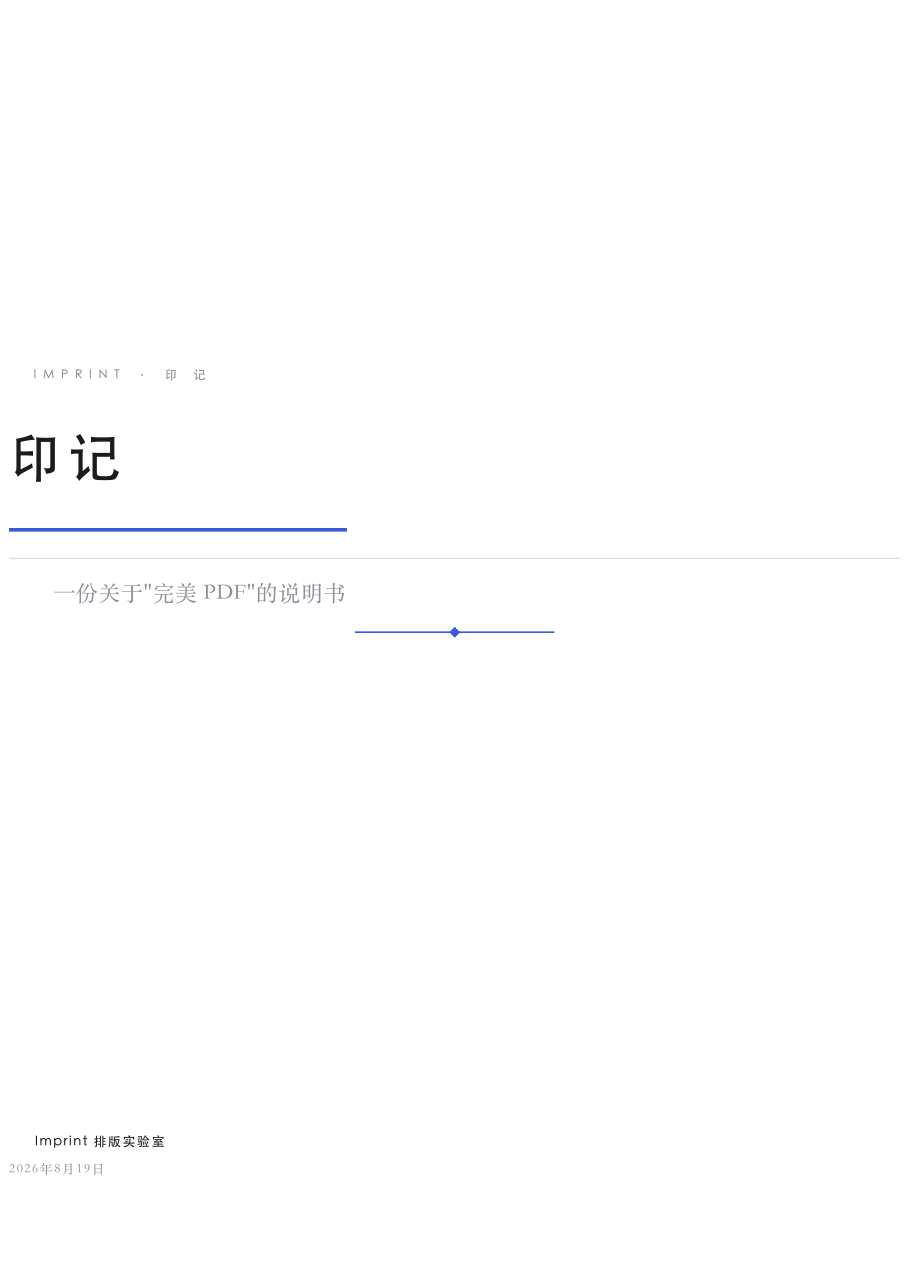
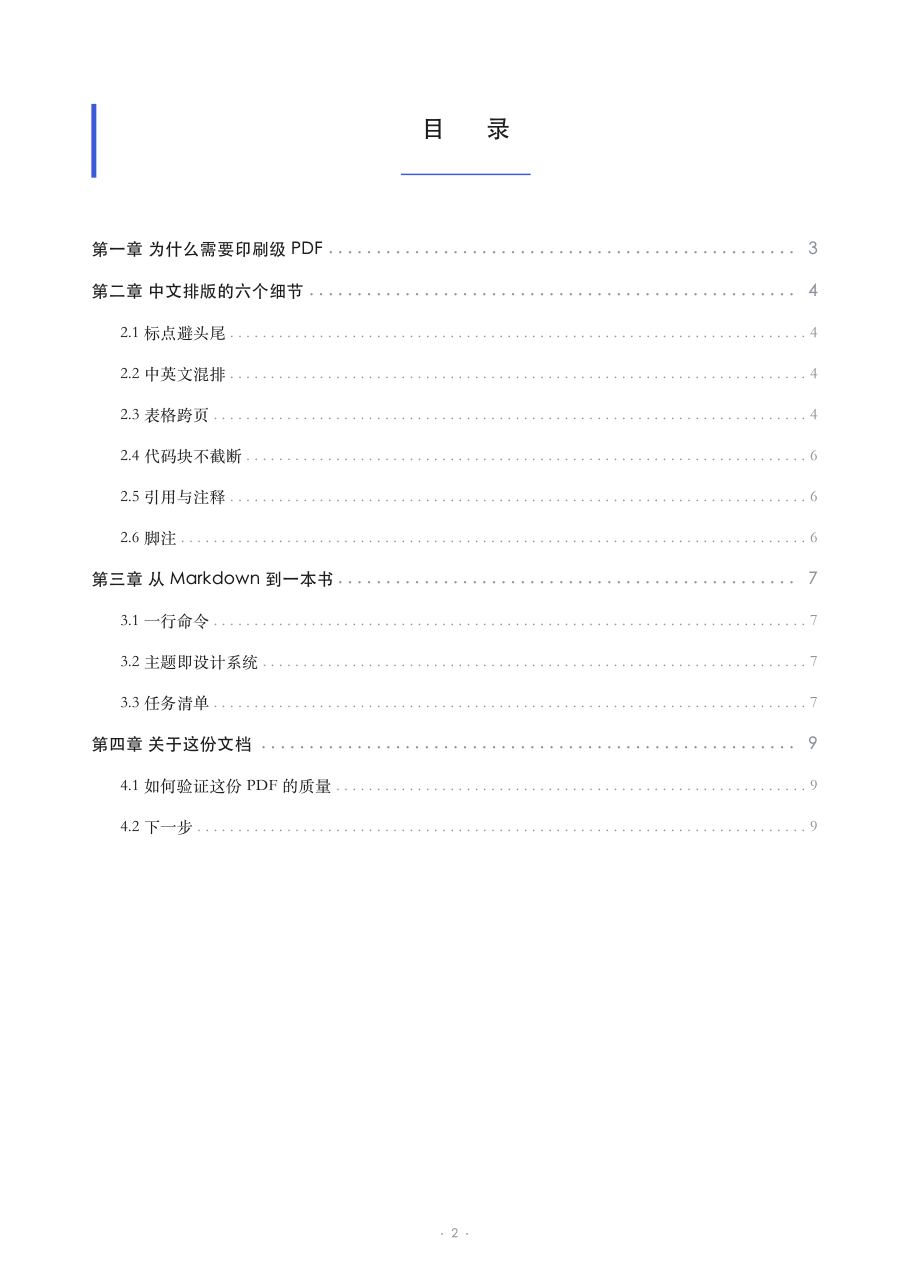
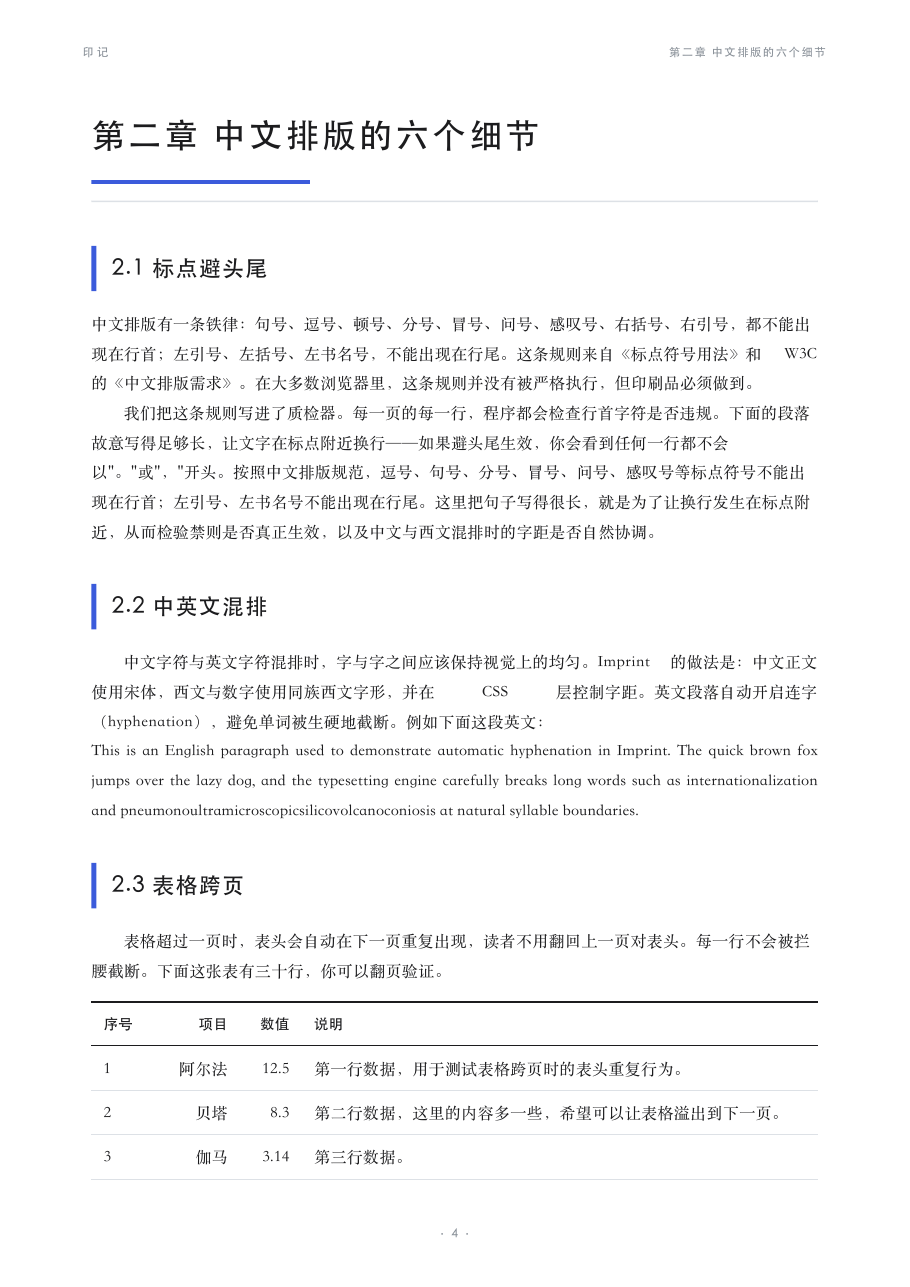
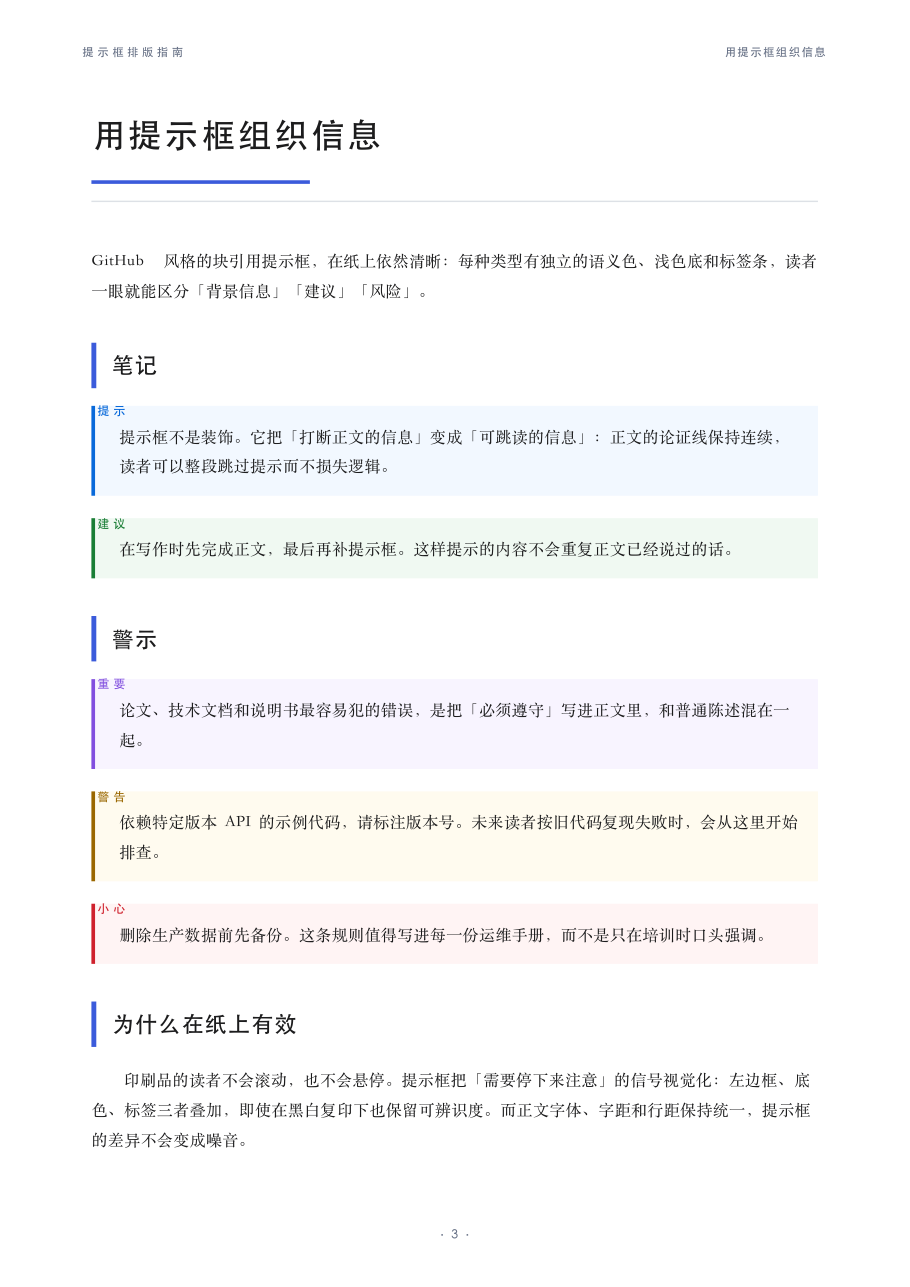
主题画廊(24 套 · 全部通过印刷级质检)
双栏学术论文模板
imprint --new paper 一键生成双栏学术论文:摘要/关键词通栏,正文双栏排版,标题不落页尾、表格不跨栏截断、行内公式不断行。
英文论文用 imprint --new ieee:IEEE 风格(Times 10pt 紧凑双栏 + IEEE 蓝),
lang: en 自动切换文档语言标签,Abstract / Index Terms 通栏。
党政机关公文(GB/T 9704 红头文件)
imprint --new gongwen 一键生成符合《党政机关公文格式》的红头文件:
红色发文机关标志、发文字号、红色分隔线(★)、黑体标题、仿宋三号正文、
右对齐落款与成文日期。
换肤 = 一行命令:imprint paper.md --theme wine;不指定也会智能换肤——自动分析内容气质选主题并说明理由(如周报自动用 graphite,论文自动用 academic)。
为什么是 Imprint
大多数 Markdown→PDF 工具(pandoc 默认、md2pdf 系、Chrome 打印)只是"把文字倒进页面"。Imprint 的三个差异点:
- 中文印刷级——严格按《中文排版需求》:避头尾禁则、首行缩进 2 字符、中英文混排字距、孤行寡行控制
- 设计系统即主题——每套主题是一组 DTCG 设计令牌(色板/字体配对/间距/装饰),换肤 = 换一行
- 印刷级质检报告——每个 PDF 生成后自动评分 0–100,检查文本可选、字体子集嵌入、标点违规、目录页码、PDF/UA 无障碍标签,证据可查
快速开始
pip install imprint-pdf
# 图表支持(可选)
pip install imprint-pdf[charts]
# MCP server(可选,Agent 一句话出报告)
pip install imprint-pdf[mcp]

imprint paper.md -o paper.pdf
imprint paper.md --theme sepia --compress
# 从模板起稿(报告/书籍/简历/技术文档/信函)
imprint --new report -o my_report.md
# 启动 MCP server(stdio),供 Claude Code / Cursor / DeepSeek Harness 等接入
imprint-mcp
输出结尾是一张质检报告:
印刷级质检报告
==============================================
 ✓ 文本可选              15.0/15.0   平均每页 722 字符
 ✓ 字体子集嵌入            15.0/15.0   5/5 字体已嵌入
 ✓ 元数据完整              3.0/3.0    标题「印记」
 ✓ 标点避头尾             15.0/15.0   0 违规
 ✓ 孤行寡行               9.0/9.0    0 处
 ✓ 目录页码              15.0/15.0   核对 15 条
 ✓ 页码存在               2.0/2.0    8/9 页含页码
 ✓ PDF/UA 标签          3.0/3.0    Tagged PDF
 ✓ 主题字体生效             3.0/3.0    命中 songti
 ✓ 主题对比度              5.0/5.0    正文 17.0:1 …
 ✓ 缺字检测               5.0/5.0    无缺字回退
 ✓ 内容溢出               5.0/5.0    无内容越界
 ✓ 图片清晰度              5.0/5.0    全部达标
 ----------------------------------------------
 总分 100.0/100 · 等级 A+ · 9 页
特性
- 封面 + 目录:frontmatter 里的
title / author / date自动生成封面,标题自动生成可点击目录(页码精确) - 智能换肤:不指定主题时,按标题/关键词/正文信号自动推荐(含理由);显式指定优先
- 主题系统:24 套主题(见下方画廊)——现代杂志 / 学术书卷 / 北欧极简 / 护眼纸色 / 报纸头版 / 柔和粉彩 / 纯黑白 / 玉石绿 / 咖啡暖棕 / 海洋蓝 / 薰衣草紫 / 樱粉 / 松林绿 / 勃艮第酒红 / 石墨灰 / 深夜蓝纸(暗色)/ 珊瑚橙 / 琥珀金 / 薄荷青 / 沙漠沙色 / 极简(minimal) / 线装书(ink,宣纸+印章红) / 红头公文(gongwen) / IEEE 英文论文(ieee),自定义主题 = 一个 JSON 文件
- GitHub 风格提示框:
> [!NOTE]/[!TIP]/[!WARNING]/[!IMPORTANT]/[!CAUTION]自动渲染为印刷级彩色提示卡,见examples/alerts.md - Mermaid 图表:
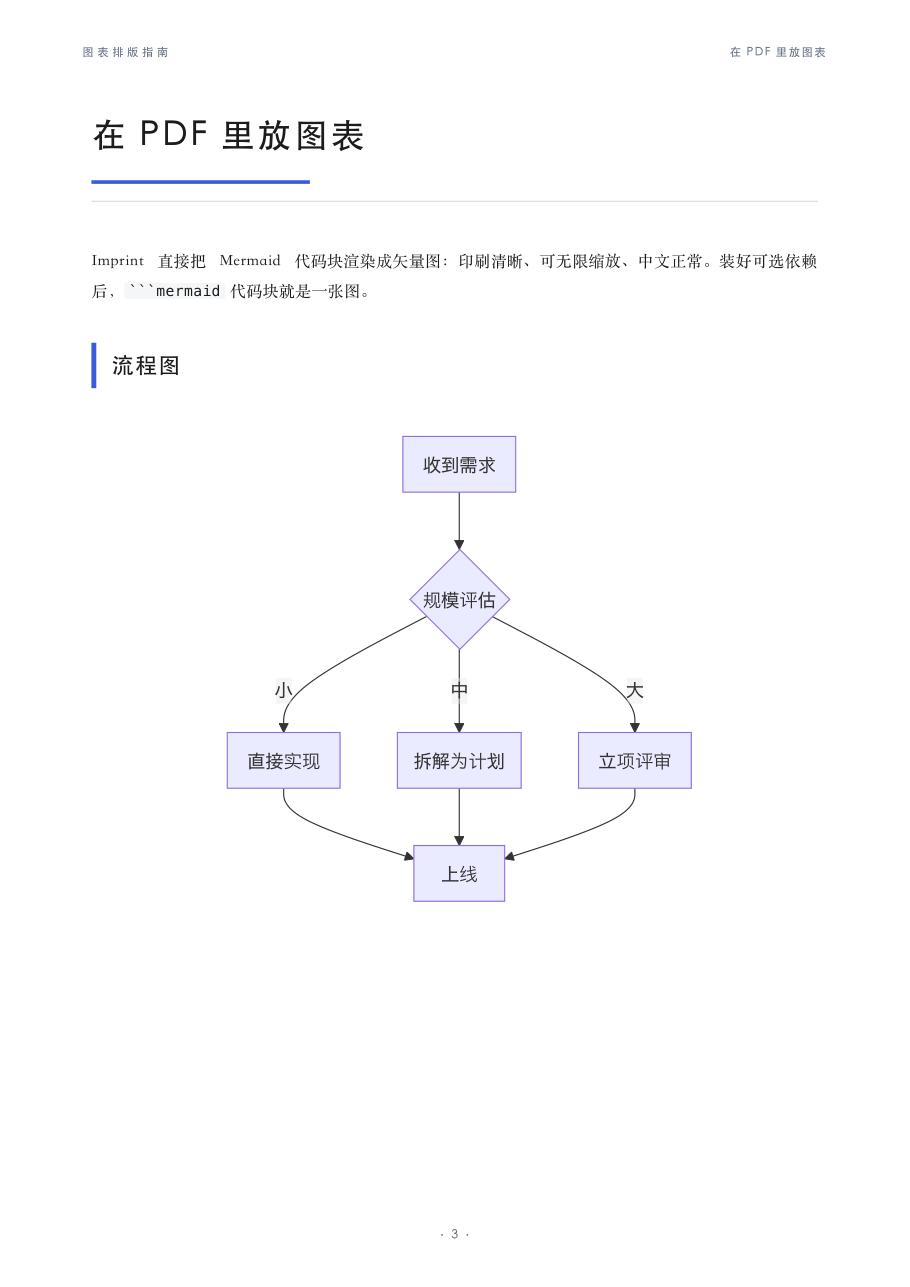
```mermaid代码块自动渲染为矢量图(中文正常、无限缩放),未装引擎时优雅回退代码块,见examples/charts.md - 数学公式:
$行内公式$/$$块级公式$$渲染为矢量 SVG(matplotlib mathtext,无数学字体依赖),见examples/math.md - 模板系统:
imprint --new report|book|resume|techdoc|letter|paper|gongwen|ieee一键起稿,模板自带对应排版气质(石墨灰报告 / 米黄书稿 / 等宽简历 / 海洋蓝技术文档 / 薰衣草信函 / 双栏学术论文 / 红头公文 / IEEE 英文论文) - 图片压缩:
--compress自动降采样超大图并重编码(实测 11.7MB → 1.4MB) - 字体体检:生成前自动检查主题字体本机是否可用,缺失时明确警告
- 中文规范:避头尾禁则、首行缩进、中英文混排、英文段落自动连字
- 表格跨页:表头自动重复、行不截断
- 代码高亮:Pygments 着色、整体换页不截断
- 缺字检测:渲染后扫描 LastResort/notdef 回退(豆腐块),脚注、箭头等符号缺字自动暴露
- PDF/UA:默认输出无障碍标签版
- AI 原生:CLI 一行命令;内置 MCP server(
pip install "imprint-pdf[mcp]"→imprint-mcp),Agent 一句话出报告(tools: render_markdown / list_themes / validate_pdf / new_document) - 对比度合规:每套主题自动通过 WCAG 印刷检查(正文 ≥7:1、小字 ≥4.5:1、装饰 ≥3:1)
对比
| pandoc 默认 | Chrome 打印 | Imprint | |
|---|---|---|---|
| 中文印刷级 | 弱 | 弱 | 按规范 |
| 设计系统主题 | 无 | 无 | DTCG tokens |
| 质检报告 0–100 | 无 | 无 | 自带 |
| 数学公式 | 插件级 | 无 | 矢量内嵌 |
| 模板起稿 | 无 | 无 | 8 套内置 |
| 双栏学术排版 | 无 | 无 | 内置 |
| 公文格式(红头文件) | 无 | 无 | 内置 |
| WCAG 对比度检查 | 无 | 无 | 内置 |
| PDF/UA 无障碍 | 手动 | 无 | 默认 |
文档
- 完美 PDF 标准——"完美"的定义与验收门槛
- 极致借鉴清单——每个环节的社区选型与实测结论
- 项目故事 · 从草稿到成品——为什么做、怎么做到极致(成品 PDF)
- 为什么需要质检门(0-100 分)——质检不是炫技,是文档的 CI
路线图
- 更多主题(24 套已上线:minimal / ink / gongwen / ieee 等)
- npm 分发
npx imprint(已上线) - 双栏 / 学术模板(已上线)
- PyPI 发布(已上线 0.11.0)
- 更多双栏模板(IEEE / 公文 / 病历等)
Related tools
- falsify — the scientific thinking protocol for AI agents. Before you typeset the perfect PDF, let falsify check the conclusion it presents: hypothesis → falsify → evidence → calibrated verdict.
- dsh-verify — browser-verified delivery for agent-built apps: real-browser tests that catch broken output a judge cannot see.
One-command installs: npx skills add 263311487-ux/falsify · npx dsh-verify · npx imprint
License
MIT
Installation
Source-derived launch command. Check the maintainer’s required arguments and credentials before running:
uvx imprint-pdfSet up in your AI client
Merge this template into ~/Library/Application Support/Claude/claude_desktop_config.json. Keep existing servers. Add any arguments, credentials, and permissions required by the maintainer; this template has not been install-tested.
{
  "mcpServers": {
    "io-github-263311487-ux-imprint-pdf": {
      "command": "uvx",
      "args": [
        "imprint-pdf"
      ]
    }
  }
}
Restart Claude Desktop completely for changes to take effect. Confirm the server appears connected in the client’s tool list, then try a read-only example from its documentation.
Claude Desktop setup referencePackage
imprint-pdfpypiCompatible MCP Clients
Imprint PDF works with any MCP-compatible client. Copy the config snippet from the Configuration section above and add it to the file shown for your client, then restart the application.
- Claude Desktop
~/Library/Application Support/Claude/claude_desktop_config.jsonRestart Claude Desktop completely for changes to take effect. - Cursor
~/.cursor/mcp.jsonRestart Cursor for changes to take effect. - VS Code
.vscode/mcp.jsonReload VS Code window for changes to take effect. - Windsurf
~/.codeium/windsurf/mcp_config.jsonRestart Windsurf for changes to take effect. - Claude Code
.mcp.jsonSave at the project root, then start Claude Code in that project and review the MCP server approval prompt. Keep real credentials out of shared files.